
(Or: Don’t these files all do the same thing?)
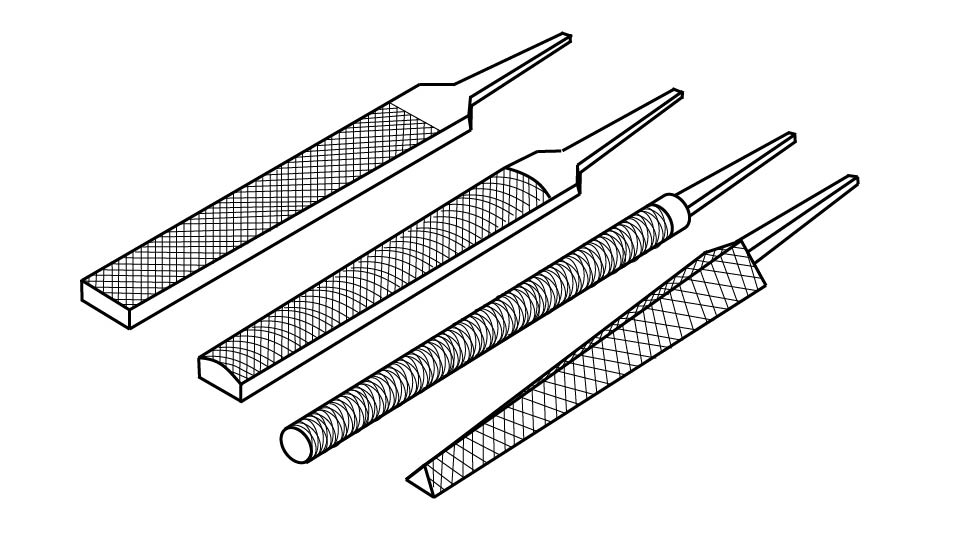
Walk into any toolbox worth its salt and you’ll find at least a few files rattling around inside. Flat. Round. Half-round. Maybe something triangular that looks vaguely medieval.
And yet—most of us grab whichever one is closest and hope for the best.
Let’s fix that.
Choosing the right file isn’t complicated, but using the correct one makes your work cleaner, faster, and far less frustrating.
What Is a File, Exactly?
A file is a hardened steel tool with a series of sharp teeth designed to remove small amounts of material. Files are used to smooth and shape:
- Metal
- Wood
- Plastic
- Sometimes even soft stone
They don’t cut like saws. They shave. They refine. They tune.
And like most tuning tools, the details matter.
The Three Things That Matter Most
When choosing a file, focus on:
- Shape
- Cut (coarseness)
- Length
That’s it. Master those three variables and you’re ahead of 90% of the world.
1. Choose the Right Shape
The shape determines what surface you can work on.
Flat File
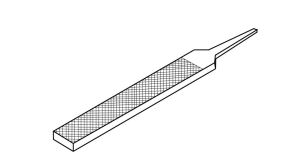
Best for:
- Flat surfaces
- Squaring edges
- General-purpose smoothing
If you only own one file, this is usually it.
Half-Round File
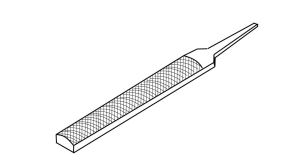
Best for:
- Inside curves
- Concave surfaces
- Mixed flat/curved work
This is the “Swiss Army knife” of files: the top is curved, but the bottom is flat.
Round File
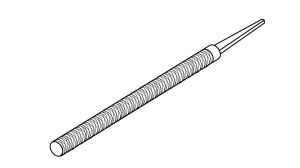
Best for:
- Enlarging holes
- Smoothing circular openings
- Working inside pipes
Also called a rat-tail file, you can find these in a bunch of different sizes.
Triangular File
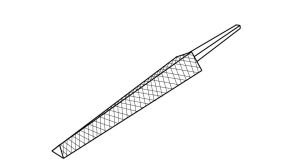
Best for:
- Sharpening saw teeth
- Filing internal corners
- V-shaped grooves
If you’ve ever wondered how people sharpen hand saws, this is how. Their triangular shape feature teeth on the the edges for detailed and intricate work.
Skippity Tip: This highly-rated Basic File Set includes a flat, a half-round, and a round file that will handle most home projects.
(As an Amazon affiliate, I earn on qualifying purchases)
2. Choose the Right Cut (Coarse vs Fine)
Files come in different tooth patterns.
- Bastard Cut – Coarse, removes material quickly
- Second Cut – Medium refinement
- Smooth Cut – Fine finishing
If you’re removing a lot of metal, start coarse.
If you’re cleaning up an edge before painting or fitting parts, go smooth.
Using a fine file to remove lots of material is like sanding a deck with 400-grit sandpaper. Technically possible. Emotionally exhausting.
3. Choose the Right Length
Longer files:
- Remove material faster
- Stay flatter over longer surfaces
Shorter files:
- Offer more control
- Work better in tight spaces
For most DIY work, an 8-inch or 10-inch file is the sweet spot.
What About File Handles?
Bare file tangs (the pointy spike at the end) are not meant to be used without a handle.
Ever.
A proper file handle:
- Improves control
- Prevents hand injuries
- Makes extended use far more comfortable
Safety Note: Never push a file without a handle installed. The tang can puncture your palm if the file slips.
The Argument for Owning a Small File Set
You can absolutely buy individual files as needed.
But here’s the thing: most of us don’t know which file we’ll need until we’re halfway through a project.
A small, well-reviewed file set gives you:
- Multiple shapes
- Multiple cuts
- Flexibility mid-project
- Backup if one gets clogged or dull
They’re inexpensive, take up little space, and last for years with basic care.
If you do metal, woodworking, or restoration projects, they pay for themselves quickly.
How to Keep Files Working Well
- Clean teeth with a file card (a small wire brush made for files)
- Don’t use on hardened steel unless the file is rated for it
- Store them so teeth don’t bang together. Nothing dulls their teeth faster.
- Apply light pressure on the push stroke only
Files cut on the push stroke. Lift on the return.
That one habit alone improves results dramatically.
Final Word
Choosing the right file isn’t about owning 27 of them.
It’s about understanding:
- Shape
- Cut
- Length
Once you know those three, you’ll reach for the right one every time.
And your work will show it.
 Skippity Whistles